A website maintenance plan typically covers software and plugin updates, security monitoring, regular backups, uptime monitoring, performance checks, broken link fixes, and a set allowance of content edits each month. In Sri Lanka, plans generally run LKR 5,000 to LKR 30,000 per month depending on the site's size and complexity.
The main risk of skipping it isn't that your site breaks tomorrow. It's that outdated software becomes the entry point for a security breach, and recovering from one usually costs several years' worth of maintenance fees.
Nobody has ever been excited about a website maintenance plan.
It's the broadband bill of digital marketing: invisible when it's working, and only noticed when something has gone badly wrong. Plenty of business owners look at the line item and reasonably ask what they're paying for, given the site looks exactly the same as it did last month.
Fair question. Here's the honest answer.
Why websites need maintaining at all
A website isn't a printed brochure. It's software, running on a server, connected to the internet, built from parts made by different people who keep changing them.
Four things are happening constantly, whether anyone's looking or not:
The software keeps updating. WordPress, its plugins, and its themes release updates regularly, often monthly. Many of those updates patch security holes that have been publicly disclosed. Publicly disclosed means automated bots are already scanning for sites that haven't patched.
Browsers and phones keep changing. New devices, new screen sizes, new browser versions. Something that displayed correctly in 2024 can quietly break in 2026.
Google keeps changing what it rewards. Page speed standards tighten. Mobile requirements shift. Sites that stand still slide down.
Things simply decay. Links to other sites break when those sites reorganise. Forms stop delivering when an email setting changes. Payment gateways update their integration requirements. None of it announces itself.
What's actually in a maintenance plan
Here's what the work looks like month to month.
Updates
Core software, plugins, and themes updated, but tested first on a staging copy, not directly on the live site. This distinction matters. Plugin updates conflict with each other more often than you'd hope, and finding that out on your live site during business hours is a bad way to spend a Tuesday.
Security
Malware scanning, firewall rules, login protection, and monitoring for unusual activity. Small business sites are rarely targeted personally; they're found by automated scanners sweeping the internet for known vulnerabilities. It isn't personal, which is precisely why being unremarkable doesn't protect you.
Backups
Automatic backups stored somewhere other than your own server, with a tested restore process.
That last clause is the important one. Plenty of businesses have backups. Fewer have ever tried restoring one. A backup you've never tested is a hope, not a plan.
Uptime monitoring
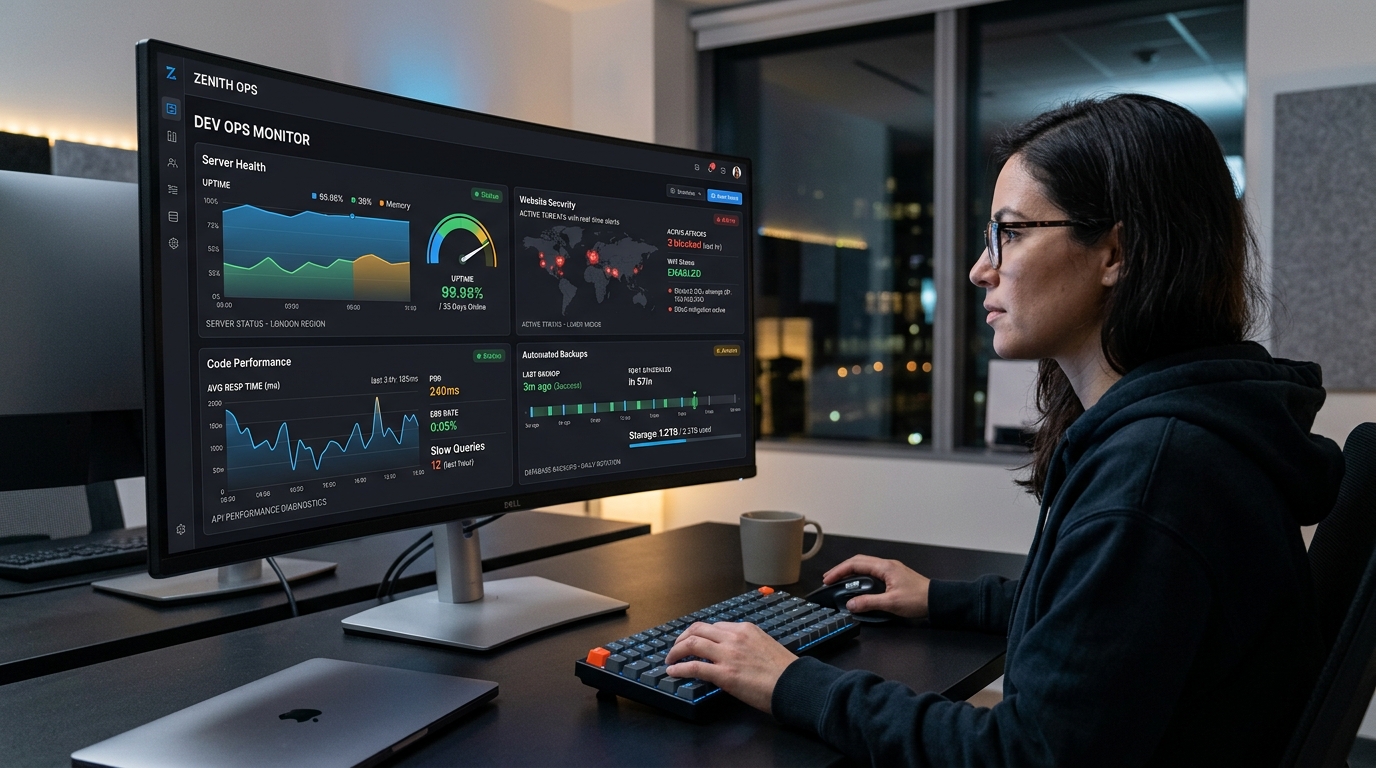
Automated checks every few minutes, with an alert if the site goes down. The alternative is finding out from a customer, which is both slower and more embarrassing.
Performance
Page speed checks, image compression, caching, database cleanup. Sites accumulate junk over time (old revisions, unused plugins, oversized images someone uploaded straight from a camera).
Small content edits
Most plans include an hour or two a month for changes: updating prices, swapping photos, adding a team member, correcting the opening hours before a holiday.
This is often the part clients value most day to day. It's the difference between "I'll email them" and "I'll get to it eventually."
Reporting
A short monthly summary: what was updated, what was found, uptime percentage, anything that needs a decision. It should be readable in two minutes.
What happens when you skip it
Not immediately. That's what makes it easy to postpone.
The typical failure timeline looks like this:
Months 1–6. Nothing. The site looks fine. Skipping maintenance feels like a sensible saving.
Months 6–12. Small things start. A contact form stops sending. A plugin conflict breaks the layout on mobile. Page speed drifts. Nobody notices because nobody's checking.
Months 12–24. The site is now several major versions behind. Updating becomes genuinely risky: too much has changed at once, and things will break when you do it. You're stuck: dangerous to update, dangerous not to.
Somewhere in there. A vulnerability in an outdated plugin gets exploited. Common outcomes are spam pages injected into your site, redirects sending visitors elsewhere, malware warnings in search results, or your domain being blacklisted for sending spam email.
Recovering from that typically means paying for cleanup, restoring from a backup (if a good one exists), submitting reconsideration requests to Google, and waiting for search visibility to recover. It usually costs several times what a year of maintenance would have.
None of that is a reason to panic. It's just arithmetic.
Hosting and maintenance are not the same thing
A common and expensive confusion.
Hosting is the space your website occupies on a server. Your host keeps the server running and secure. They are not responsible for your website's software.
Maintenance is looking after the website itself: the WordPress installation, plugins, content, and backups.
Your hosting provider will keep the building standing. They won't notice that your front door has been left open.
Some managed hosting plans do include automatic WordPress updates. Useful, but automatic updates applied without testing are how sites break at 3am unattended.
What it should cost
| Site type | Monthly (LKR) | Typically includes |
|---|---|---|
| Simple brochure site | 5,000 – 10,000 | Updates, backups, uptime monitoring, basic security |
| Standard business site | 10,000 – 20,000 | The above, plus performance checks, 1–2 hours of edits, monthly report |
| Ecommerce store | 20,000 – 50,000 | The above, plus payment and checkout testing, higher backup frequency, priority response |
| Custom application | 50,000+ | The above, plus ongoing development and dedicated support |
Add hosting on top: roughly LKR 12,000–45,000 a year for shared hosting, or LKR 60,000–250,000 a year for managed or VPS hosting suitable for stores and applications. (Check our Sri Lanka Website Cost Guide for full breakdown).
A reasonable rule of thumb is to budget 15–20% of your original build cost per year for hosting and maintenance combined. Explore our Hosting & Maintenance plans.
Questions to ask before signing a plan
- How often are backups taken, where are they stored, and have you tested a restore?
- Do you test updates on a staging site first?
- What's your response time when something breaks, and does that change outside business hours?
- How many hours of content edits are included, and do unused hours roll over?
- What's specifically excluded? New features and design changes usually are, and that's fine as long as it's clear.
- If I leave, do I keep the hosting account, domain, and backups?
That final question is the one worth insisting on. Your website, your domain, and your data should be yours regardless of who maintains them.
Doing it yourself
Entirely possible, if you're comfortable and have the time. A basic monthly routine:
- Take a full backup and download a copy somewhere outside the server
- Update plugins one at a time, checking the site after each
- Update the theme, then the core software
- Click through your key pages and submit a test enquiry form
- Run a page speed test and note anything that's slipped
- Check for broken links
- Review user accounts and remove any that shouldn't be there
Budget an hour or two a month. The risk isn't difficulty; it's consistency. Maintenance gets skipped in busy months, and busy months are most months.
Frequently asked questions
Do I really need website maintenance for a simple site?
If it runs on WordPress or any CMS, yes, because plugins and core software still need security updates. A purely static HTML site with no forms or logins needs far less, though it still needs backups and occasional checks.
How often should a website be backed up?
Daily for ecommerce and anything with user-submitted data. Weekly is acceptable for a brochure site that rarely changes. Backups should be stored off-server and retained for at least 30 days.
Can my hosting company handle maintenance instead?
Some managed hosts include automatic updates and backups, which covers part of it. They generally won't test updates, fix conflicts, make content edits, or monitor your site's performance in search. Read what's actually included rather than assuming.
What if my site has been neglected for years?
Don't just hit "update all"; that's the most reliable way to break it. The right approach is to back up first, then update incrementally on a staging copy, testing as you go. Most agencies offer a one-off recovery service before moving you onto a regular plan.
Is WordPress less secure than other platforms?
Not inherently. It's the most targeted platform because it's the most used, and the large majority of successful attacks exploit outdated plugins rather than WordPress itself. A maintained WordPress site is perfectly secure.
What's the difference between a maintenance plan and a support retainer?
Maintenance keeps the existing site healthy. A support retainer usually includes development hours for new features and changes. Some agencies bundle them; ask which you're buying.
We'll keep an eye on it for you
We're Engage Studio, a digital agency in Kandy offering hosting and maintenance for websites, stores, and applications across Sri Lanka and internationally.
If your site hasn't been updated in a while and you'd rather not find out the hard way, Get in touch for a free health check. We'll tell you what's fine and what isn't, with no obligation.